
Department
Overview
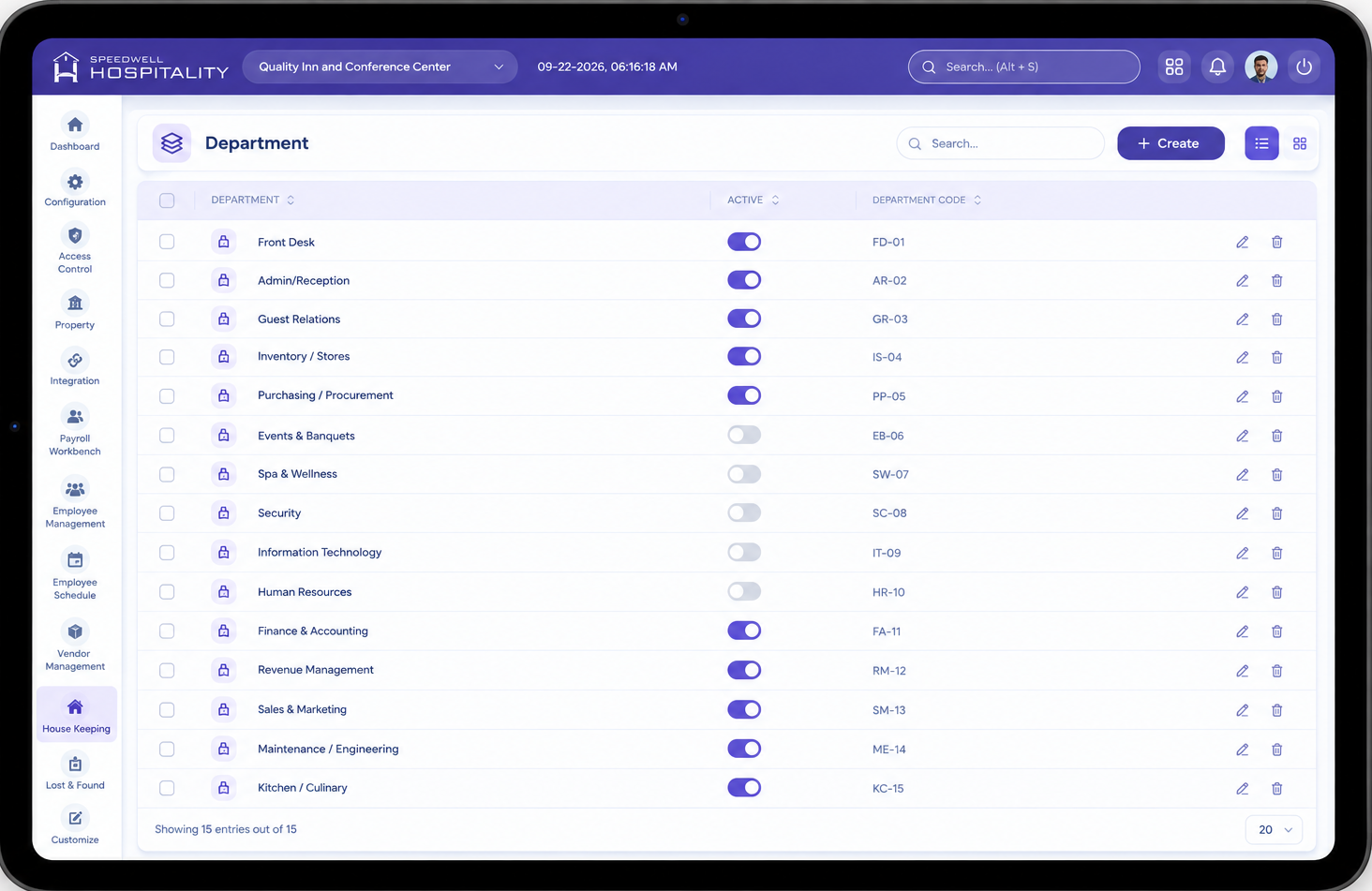
The Department feature allows administrators to define the departments used to organize employees across the property — for example, Housekeeping, Front Desk, Food & Beverage, or Maintenance. Every employee record requires an assigned department, which is used to organize the employee directory, assign positions, and support accurate reporting.
Department is a single screen feature — departments are listed and created from the same screen, similar to Employment Type.
Department Screen
The Department screen shows all configured departments along with their active/inactive status, and allows administrators to add a new department directly from the same view.
Key Fields
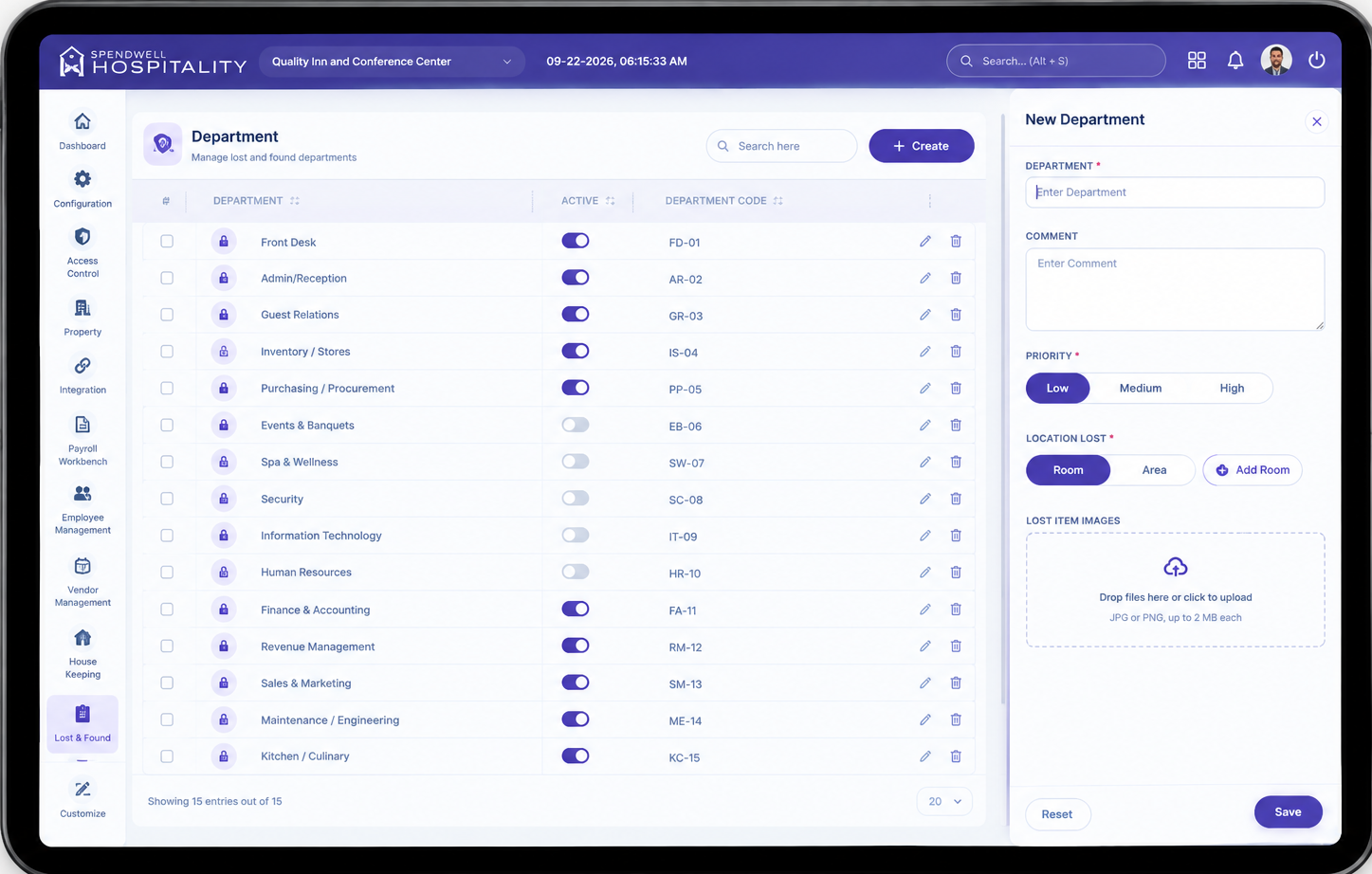
- Department — Name of the department being created (e.g. Housekeeping, Front Desk).
- Status — Toggle to enable or disable the department without deleting it.
- Save — Saves the department and closes the panel.
- Save & Add New — Saves the department and keeps the panel open to add another.
- Reset — Clears the entered value without saving.
Steps
- Select New Department.
- Enter the Department name.
- Select Save to create it, or Save & Add New to create it and continue adding more.
Department Examples
Department is not a fixed list — administrators can create their own departments to match the property's structure. Common examples include:
- Housekeeping — Responsible for room cleaning, laundry, and upkeep of guest areas.
- Front Desk — Handles guest check-in, check-out, and reservations.
- Food & Beverage — Covers restaurant, bar, room service, and banquet operations.
- Maintenance / Engineering — Handles repairs and upkeep of property facilities and equipment.
- Sales & Marketing — Manages bookings, promotions, and outreach.
- Security — Responsible for guest and property safety.
- Administration — Covers general management and back-office functions.
Note: Department is used for classification, organization, and reporting — it does not itself set pay rate, leave balances, or shift rules. Those are configured separately (e.g. through Payroll Details and Employee Group).
Important Notes
- Department is not a fixed list — administrators can add, rename, or disable departments as needed.
- Every employee must be assigned to a department during onboarding.
- Departments can be enabled or disabled without deleting them, using the Status toggle.
- Department is used for classification and reporting; leave and payroll rules are configured separately.
No comments to display
No comments to display