Franchise Set UP-User Guide
1. Franchise Setup
A Franchise Setup is the process of configuring a specific branch with all the global rules defined by the Organization, while allowing for Local Parameters (like specific tax rates or local supplier delivery times).
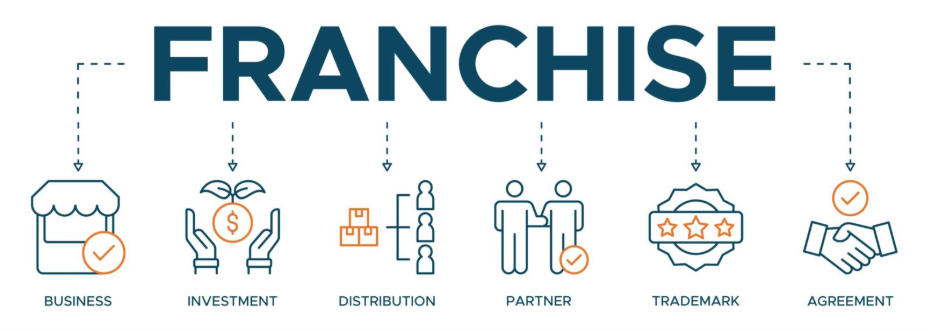
2. Technical Architecture (The "Hierarchy")
To keep your software professional and scalable, the setup should follow a "Top-Down" inheritance model:
-
Organization (The Parent): Defines the "DNA"—Global Menus, Brand Logos, and the Employee Groups you just created.
-
Franchise Setup (The Bridge): This is the configuration phase. You assign which menus and which employee groups belong to a specific location.
-
Location (The Child): The live environment where data is actually generated (Sales, Shift logs, Temp checks).
3. Key Components of a Professional Setup
When a user clicks "Create" in your Franchise Location module, the "Setup" usually involves these four pillars:
A. Operational Mapping
-
Physical Zones: Defining the "Cold Line," "Pass," and "Prep Station" for that specific floor plan.
-
Hardware Integration: Linking the local receipt printers, KDS screens, and IoT temperature sensors to that specific franchise ID.
B. Labor Configuration
-
Local Roles: Assigning the Employee Groups (e.g., assigning the "Line Cook" group to the "Downtown" location).
-
Shift Patterns: Setting the opening and closing hours for that specific branch.
C. Inventory & Supply Chain
-
Local Suppliers: While the Organization might choose the meat provider, the Franchise Setup defines which local branch of that provider delivers to them.
-
Par Levels: Setting "Minimum Stock" levels based on the specific storage capacity of that kitchen's walk-in freezer.
D. Compliance & Legal
-
Tax Jurisdictions: Applying local sales tax.
-
Health Permits: Uploading and tracking the expiration of local food safety certifications specific to that address.
Key Areas:
1. Organization
-
Zones: Divide your kitchen into zones (prep, cooking, cleaning, storage) so tools and ingredients are always close to where they’re needed.
-
Inventory: Keep track of pantry staples and perishables. A simple spreadsheet or app can help avoid waste and last-minute shortages.
-
Labeling: Label containers and shelves to make items easy to find and return.
2. Efficiency
-
Meal Planning: Plan menus in advance to reduce stress and optimize grocery shopping.
-
Batch Prep: Chop vegetables, marinate proteins, or cook grains ahead of time.
-
Workflow: Arrange tools and appliances to minimize unnecessary movement (the “kitchen work triangle” between stove, sink, and fridge is a classic example).
3. Safety & Hygiene
-
Clean as You Go: Prevent clutter and cross-contamination.
-
Storage Rules: Raw meats on the bottom shelf, sealed containers for dry goods, and FIFO (first in, first out) for perishables.
-
Temperature Control: Use thermometers to ensure food is cooked and stored safely.
4. Cost Control (especially in professional kitchens)
-
Portion Management: Standardize serving sizes to reduce waste.
-
Supplier Relationships: Build trust with vendors for consistent quality and pricing.
-
Waste Tracking: Monitor what gets thrown away to adjust purchasing and prep habits.
5. Team Management (for restaurants)
-
Clear Roles: Assign specific responsibilities (prep cook, line cook, dishwasher).
-
Communication: Use checklists and briefings before service.
-
Training: Regular refreshers on safety, hygiene, and new recipes.
Module 1: Organization Management
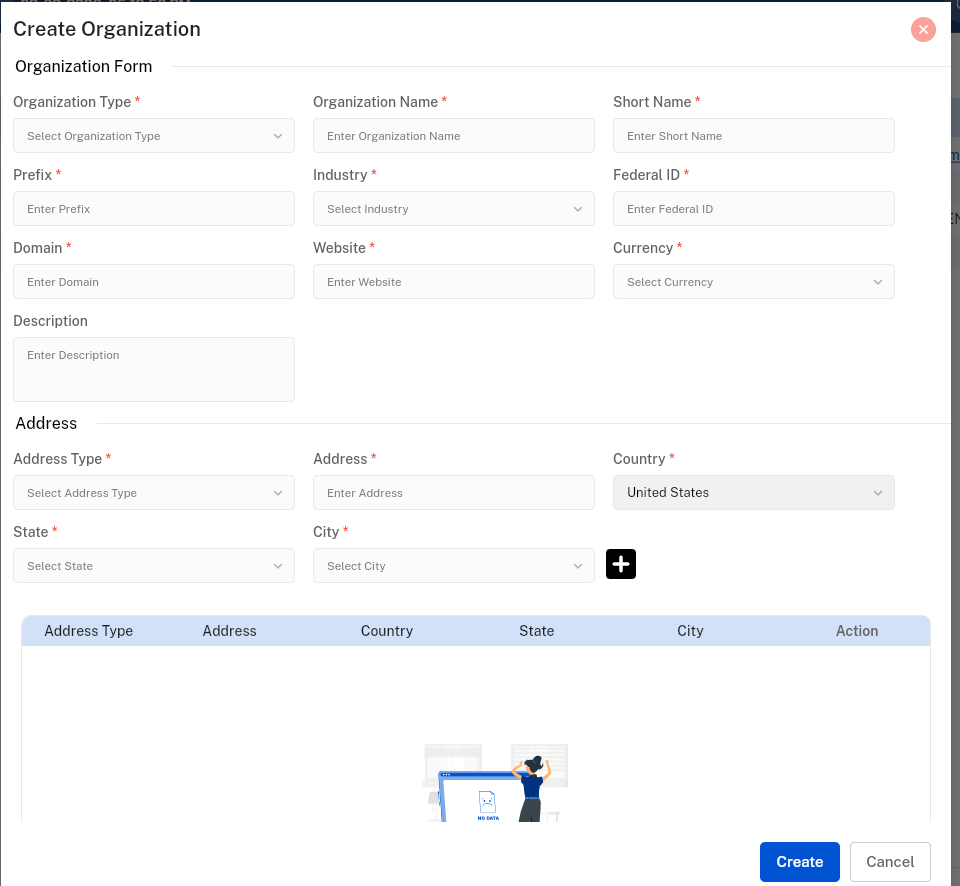
It represents the corporate entity or the brand identity.
-
Objective: To define the high-level business entity and manage global settings that apply across all sub-entities.
Key Components:
-
Search Bar: Real-time lookup for specific brands or corporate divisions.
-
Create Button: Triggers a modal/form to input legal entity names, type, Industry, Domain, Address and primary contact info.
-
Filter: Sort by Organization Name, Federal ID, Domain, etc.
Module 2: Franchise Location
This is the "Operational" level. This is where the physical cooking happens.
-
Objective: To manage the specific geographic spots where the software will be deployed, allowing for localized control.
Key Components:
-
Search Bar: Quickly find specific Franchise details (e.g., "Downtown Branch" or "Airport Terminal 3").
-
Create Button: Triggers a form to link the location to a parent Organization, Business Details and input physical addresses, and Contact details along with Bank details.
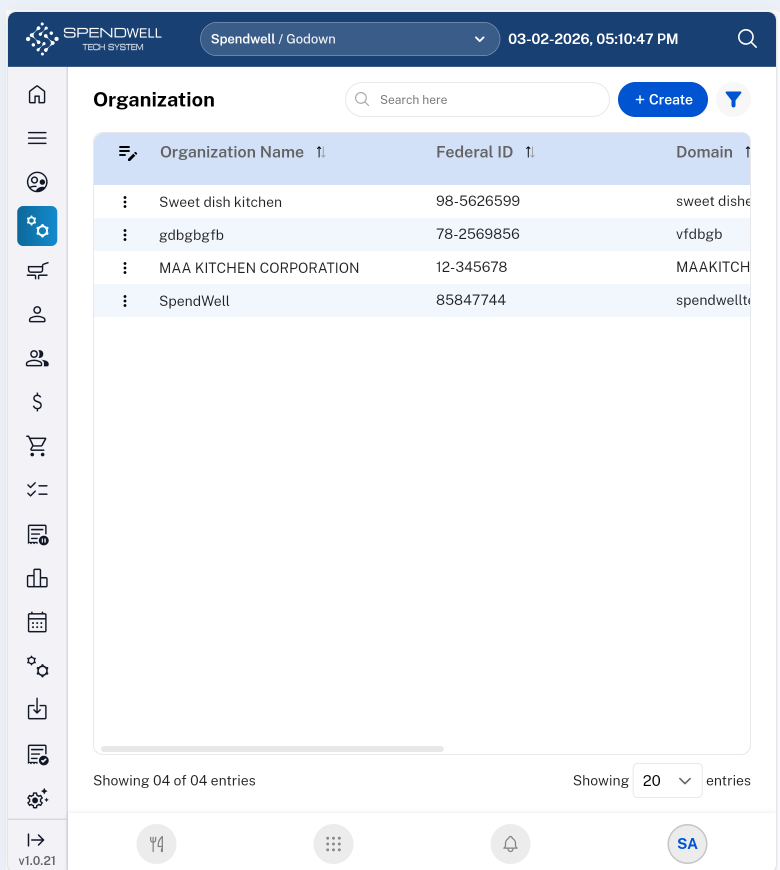
Organization module
Module 3: Employee Group
-
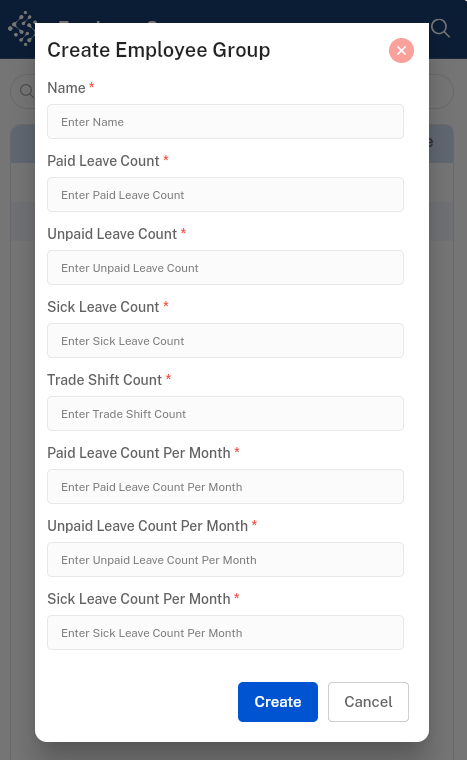
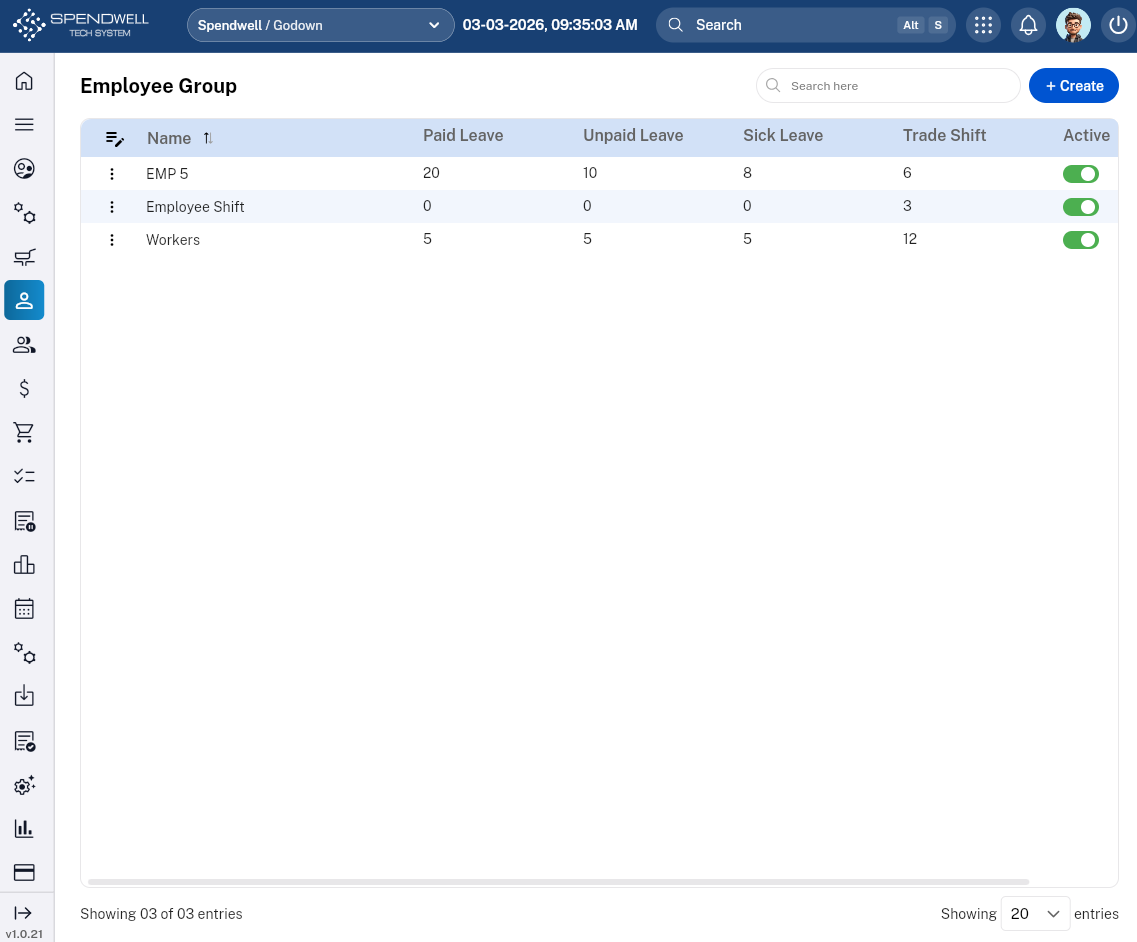
Objective: To define standardized labor rules, leave entitlements, and operational permissions for specific tiers of kitchen staff.
Core Components & Data Fields
The "Create" form for this module acts as a template for labor compliance and scheduling flexibility.
|
Field / Component |
Description |
Professional Utility |
|
Group Name |
Text input (e.g., "Executive Team," "Staging/Interns"). |
Categorizes staff for easier scheduling. |
|
Paid Leave |
Numerical input (Days per Year). |
Automates benefit tracking for full-time staff. |
|
Unpaid Leave |
Numerical input (Days per Year). |
Sets boundaries for part-time or casual labor. |
|
Sick Leave |
Numerical input (Days per Year). |
Essential for health safety (HACCP) compliance. |
|
Trade Shift |
Toggle (Yes/No) |
Determines if this group can swap shifts without manager approval. |
|
Status |
Toggle (Active/Inactive) |
Instantly enables/disables all permissions for this group. |
Functional Components
-
Search Bar: Quick-filter groups by name (e.g., searching "Front" to find "Front of House").
-
'Create' Button: Opens the configuration suite for a new group.