Franchise Set UP-User Guide
An integrated digital ecosystem that optimizes professional kitchen operations through real-time inventory management, automated safety compliance tracking, and streamlined workflow orchestration to ensure peak efficiency, rigorous hygiene standards, and an enhanced user experience.
Key Areas:
1. Organization
-
Zones: Divide your kitchen into zones (prep, cooking, cleaning, storage) so tools and ingredients are always close to where they’re needed.
-
Inventory: Keep track of pantry staples and perishables. A simple spreadsheet or app can help avoid waste and last-minute shortages.
-
Labeling: Label containers and shelves to make items easy to find and return.
2. Efficiency
-
Meal Planning: Plan menus in advance to reduce stress and optimize grocery shopping.
-
Batch Prep: Chop vegetables, marinate proteins, or cook grains ahead of time.
-
Workflow: Arrange tools and appliances to minimize unnecessary movement (the “kitchen work triangle” between stove, sink, and fridge is a classic example).
3. Safety & Hygiene
-
Clean as You Go: Prevent clutter and cross-contamination.
-
Storage Rules: Raw meats on the bottom shelf, sealed containers for dry goods, and FIFO (first in, first out) for perishables.
-
Temperature Control: Use thermometers to ensure food is cooked and stored safely.
4. Cost Control (especially in professional kitchens)
-
Portion Management: Standardize serving sizes to reduce waste.
-
Supplier Relationships: Build trust with vendors for consistent quality and pricing.
-
Waste Tracking: Monitor what gets thrown away to adjust purchasing and prep habits.
5. Team Management (for restaurants)
-
Clear Roles: Assign specific responsibilities (prep cook, line cook, dishwasher).
-
Communication: Use checklists and briefings before service.
-
Training: Regular refreshers on safety, hygiene, and new recipes.
Module 1: Organization Management
It represents the corporate entity or the brand identity.
-
Objective: To define the high-level business entity and manage global settings that apply across all sub-entities.
Key Components:
-
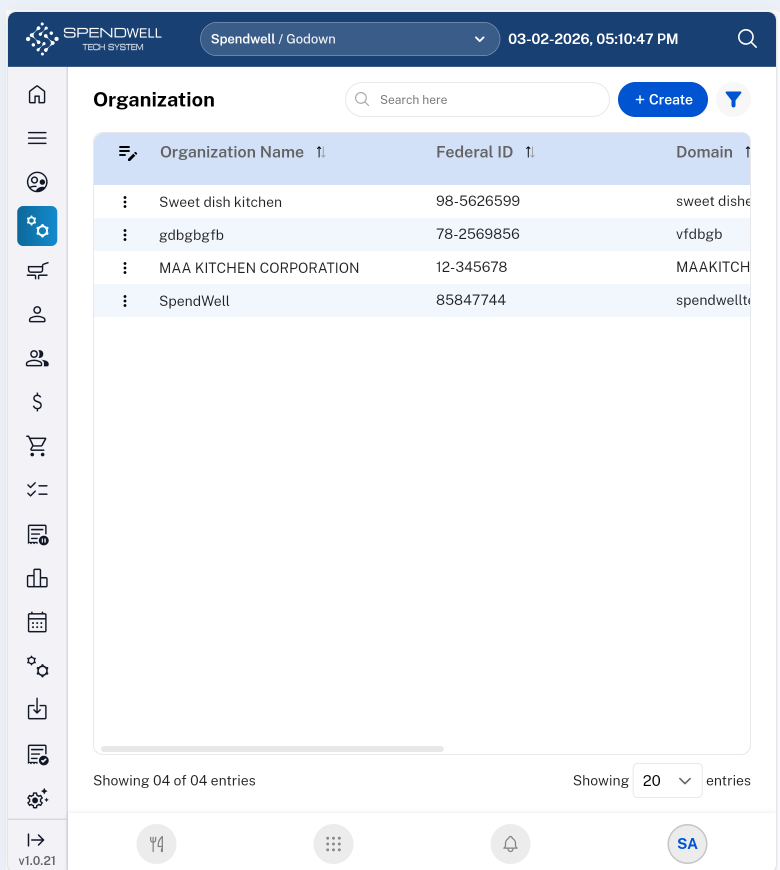
Search Bar: Real-time lookup for specific brands or corporate divisions.
-
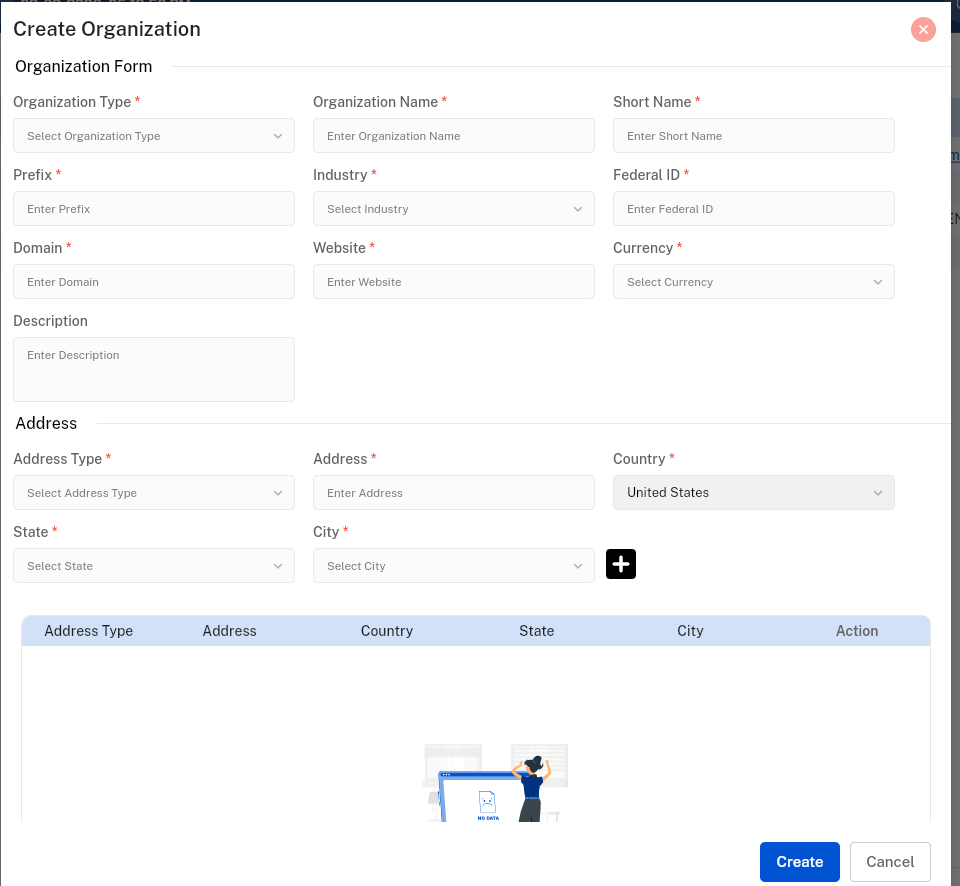
Create Button: Triggers a modal/form to input legal entity names, type, Industry, Domain, Address and primary contact info.
-
Filter: Sort by Organization Name, Federal ID, Domain, etc.
Module 2: Franchise Location
This is the "Operational" level. This is where the physical cooking happens.
-
Objective: To manage the specific geographic spots where the software will be deployed, allowing for localized control.
Key Components:
-
Search Bar: Quickly find specific Franchise details (e.g., "Downtown Branch" or "Airport Terminal 3").
-
Create Button: Triggers a form to link the location to a parent Organization, Business Details and input physical addresses, and Contact details along with Bank details.
Organization module
Module 3: Employee Group
-
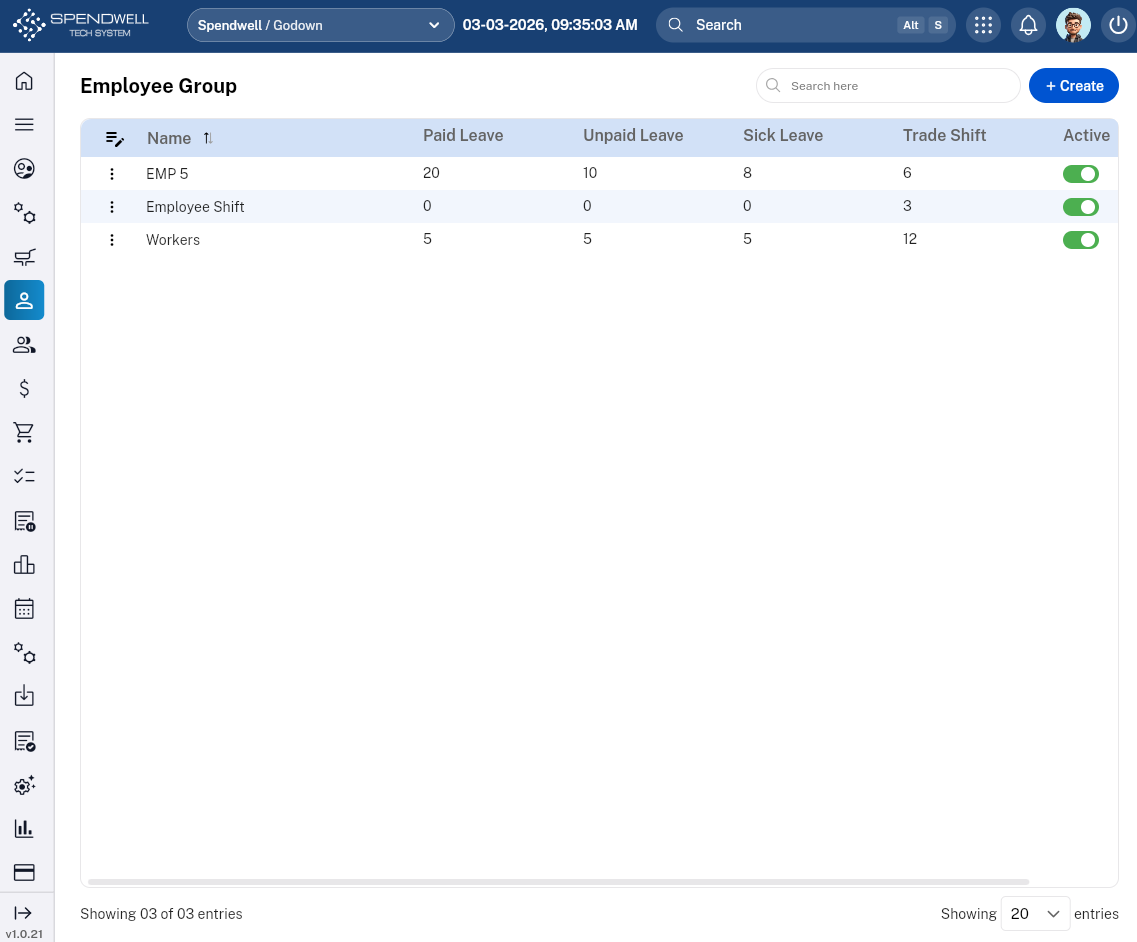
Objective: To define standardized labor rules, leave entitlements, and operational permissions for specific tiers of kitchen staff.
Core Components & Data Fields
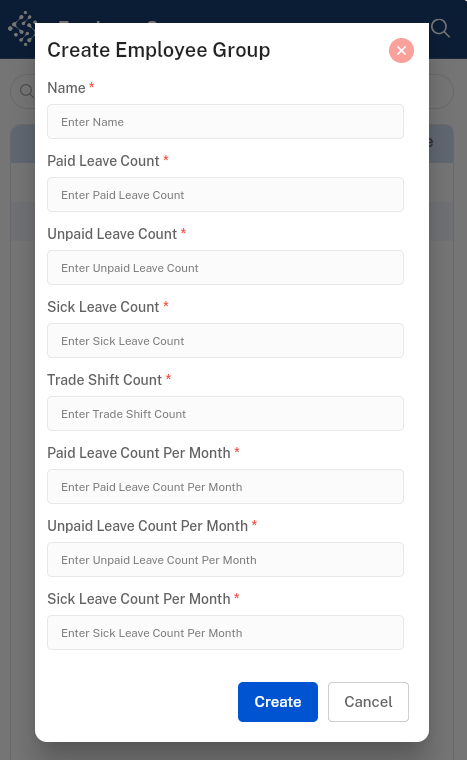
The "Create" form for this module acts as a template for labor compliance and scheduling flexibility.
|
Field / Component |
Description |
Professional Utility |
|
Group Name |
Text input (e.g., "Executive Team," "Staging/Interns"). |
Categorizes staff for easier scheduling. |
|
Paid Leave |
Numerical input (Days per Year). |
Automates benefit tracking for full-time staff. |
|
Unpaid Leave |
Numerical input (Days per Year). |
Sets boundaries for part-time or casual labor. |
|
Sick Leave |
Numerical input (Days per Year). |
Essential for health safety (HACCP) compliance. |
|
Trade Shift |
Toggle (Yes/No) |
Determines if this group can swap shifts without manager approval. |
|
Status |
Toggle (Active/Inactive) |
Instantly enables/disables all permissions for this group. |
Functional Components
-
Search Bar: Quick-filter groups by name (e.g., searching "Front" to find "Front of House").
-
'Create' Button: Opens the configuration suite for a new group.