
Leave Management
Objective: Ensures smooth, transparent, and accurate handling of employee leave requests and policies.
The Leave Management sub‑module handles all leave‑related policies and employee leave configurations.
Key Functions
-
Define leave types (e.g., Casual Leave, Sick Leave, Earned Leave)
-
Set leave rules, entitlements, and carry‑forward limits
-
Configure approval processes
-
Track leave balances
Components:
- Search Bar: Filter by Employee Name, Date, Duration or Leave Type (e.g., "Sick Leave").
- 'Create' Button (Request Leave): Opens a standardized form for staff or managers to log a new absence.
- Created List (The Dashboard): A high-visibility view showing all historical leave entries.
- Functionality: Enables the creation and management of employee leave records, ensuring that leave requests comply with available entitlements and receive proper manager approval.
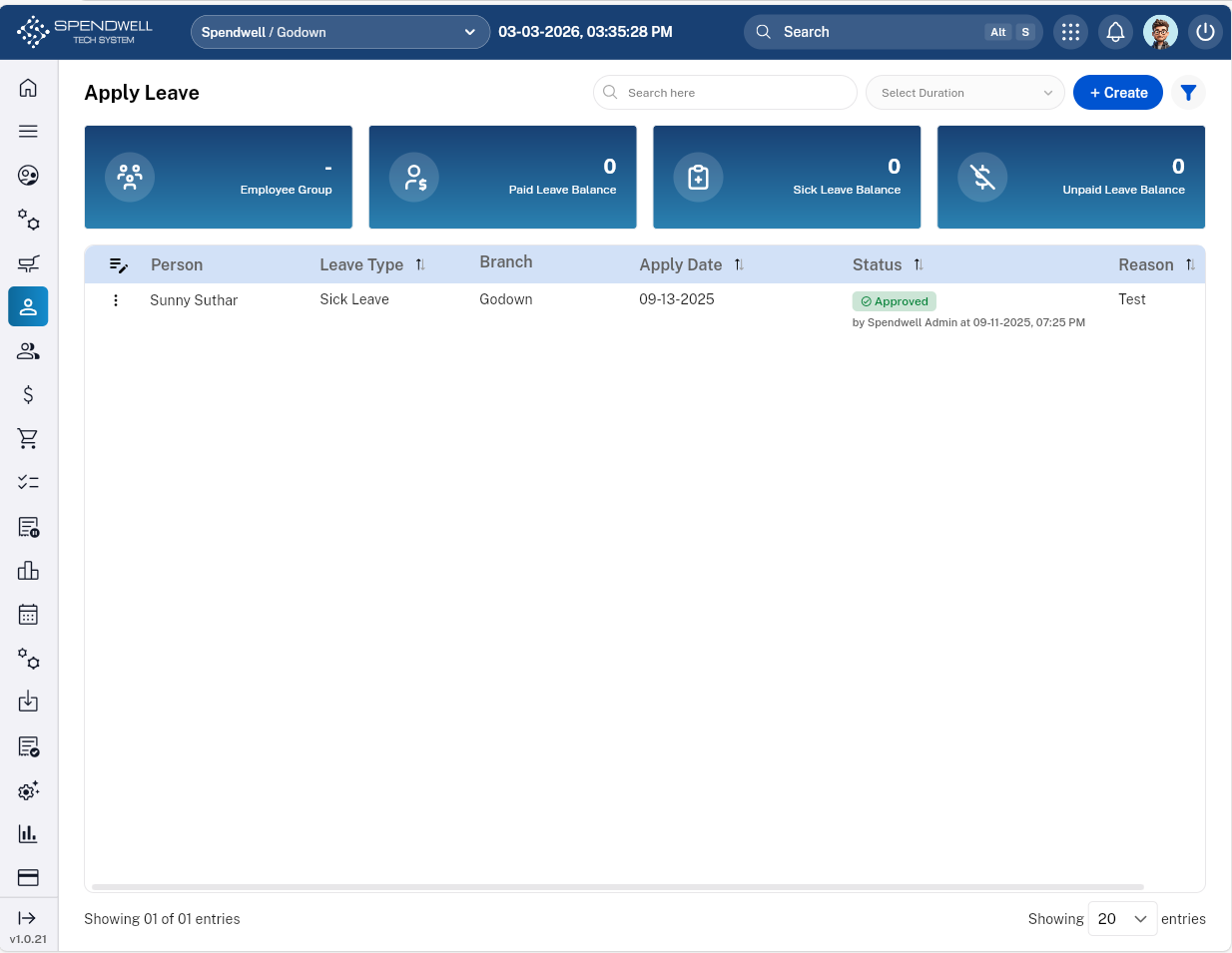
Figure: Leave Management
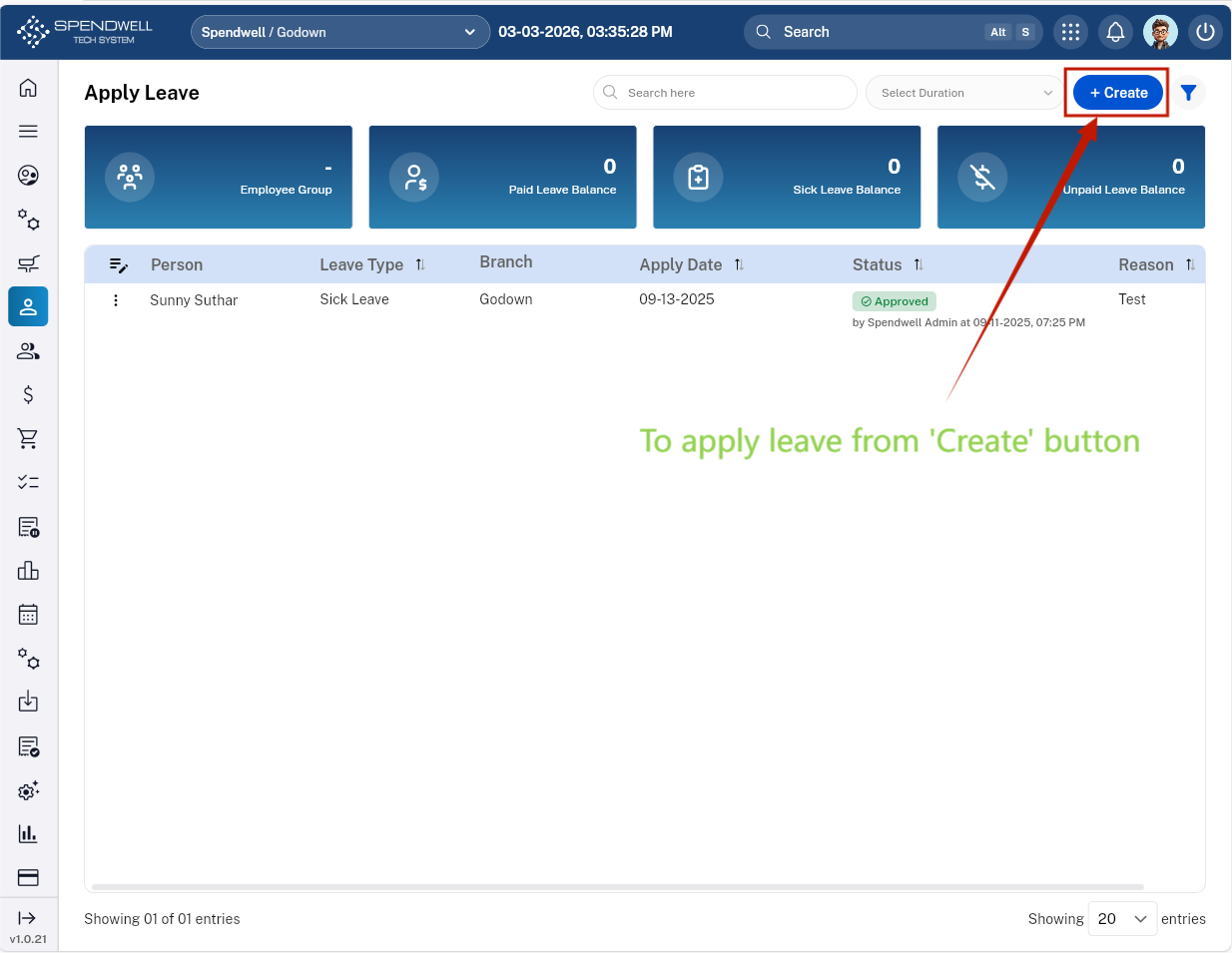
Figure: Leave Management [Create Leave]
Users can apply leave(s) along with different parameters:
-Leave Date(s)
-Leave Type
-Reason
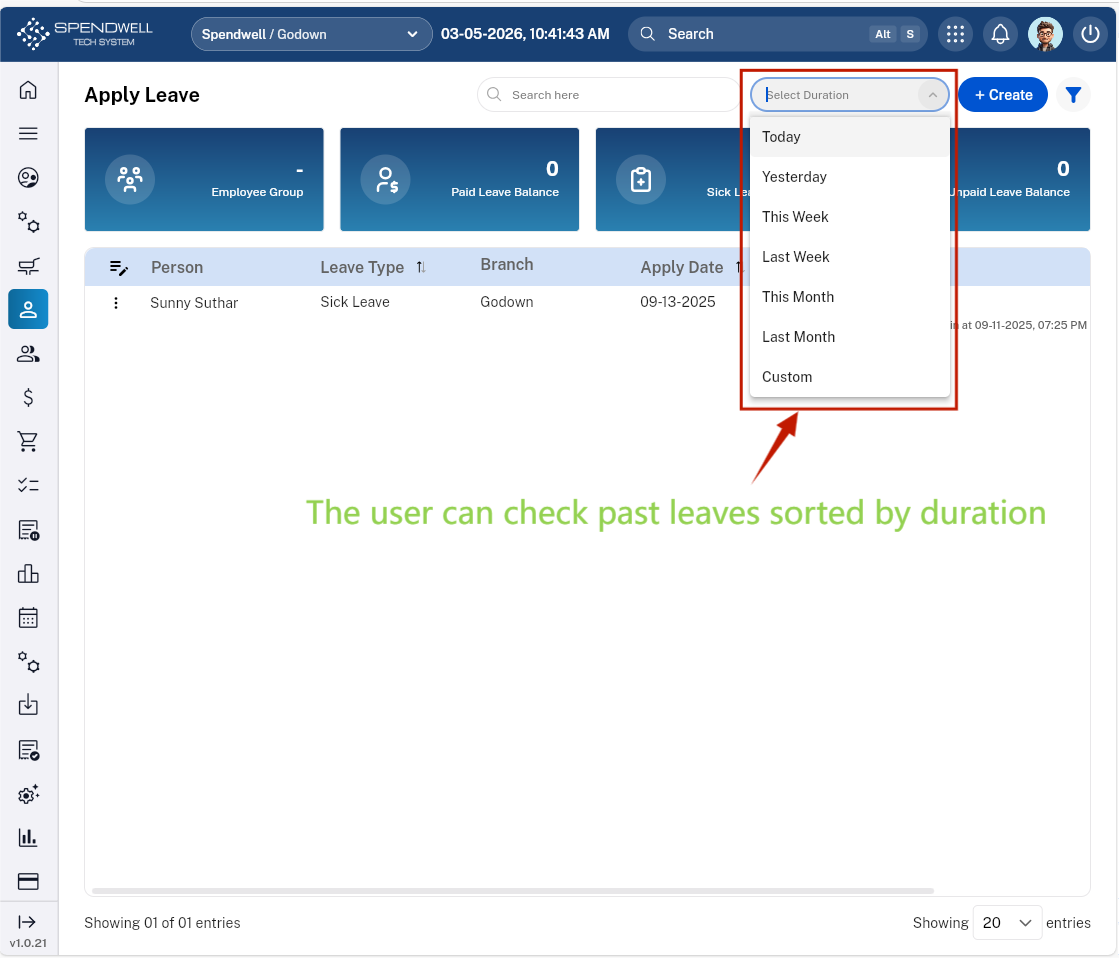
Figure: Leave Management [Past Leave Duration]
-Users are able to review past leaves categorized by duration.
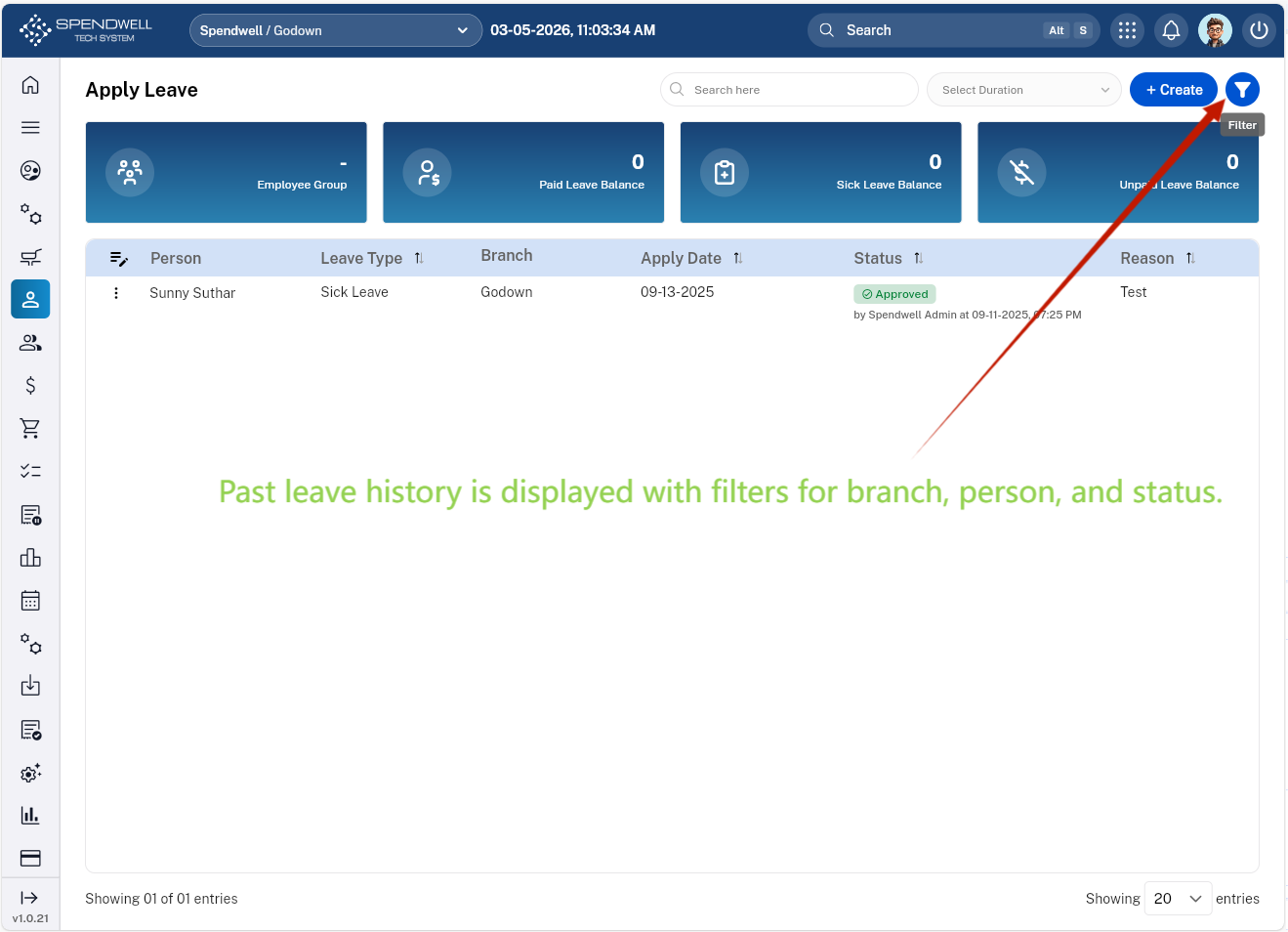
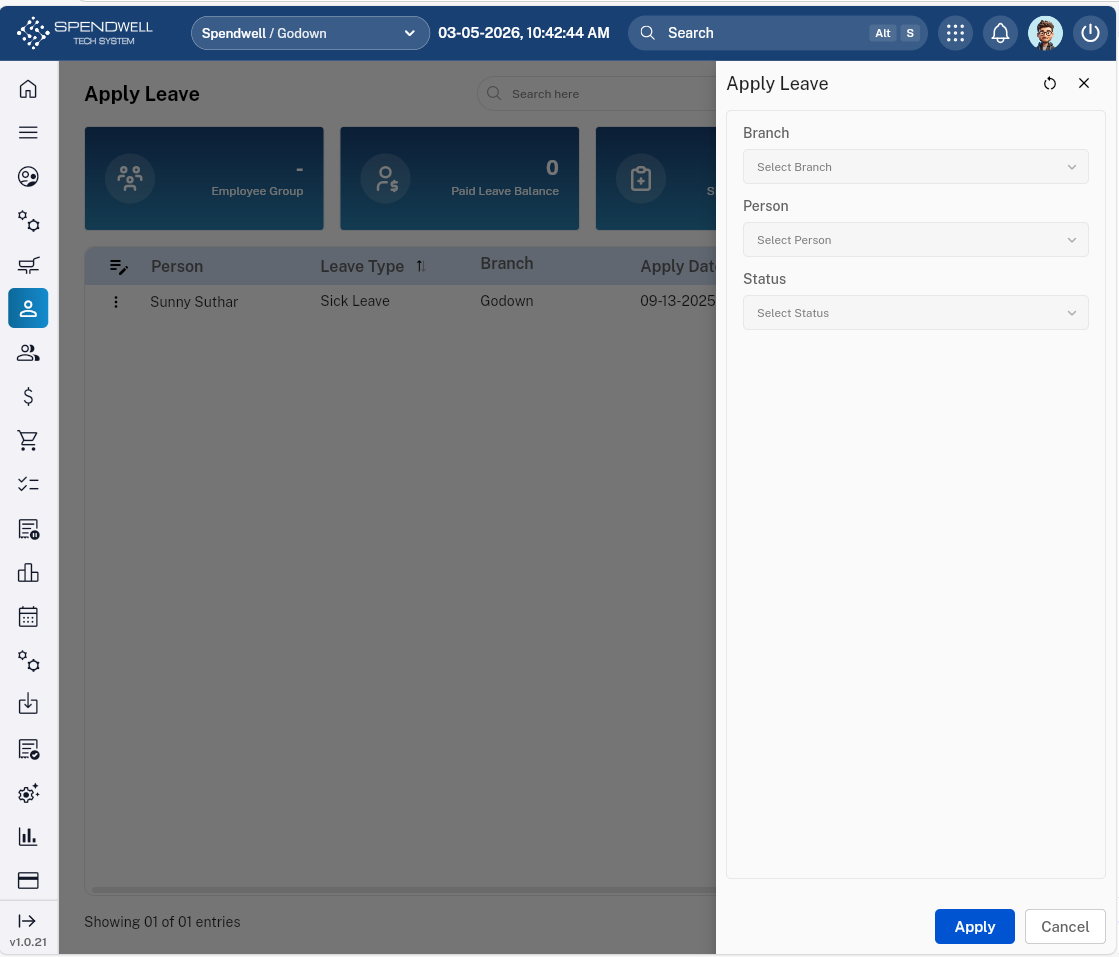
Figure: Leave Management [Filter leave history by branch, employee, or status]
-Users are able to filter past leaves based on branch, person, and status.