
Employee Group
Module: Employee Group
-
Objective: Organizes your workforce into structured categories, making management and permissions easier.
Key Functions
-
Create and manage employee groups
-
Assign employees to specific groups
-
Use groups for access control, workflows, or reporting
Core Components & Data Fields
The "Create" form for this module acts as a template for labor compliance and scheduling flexibility.
|
Field / Component |
Description |
Professional Utility |
|
Group Name |
Text input (e.g., "Executive Team," "Staging/Interns"). |
Categorizes staff for easier scheduling. |
|
Paid Leave |
Numerical input (Days per Year). |
Automates benefit tracking for full-time staff. |
|
Unpaid Leave |
Numerical input (Days per Year). |
Sets boundaries for part-time or casual labor. |
|
Sick Leave |
Numerical input (Days per Year). |
Essential for health safety (HACCP) compliance. |
|
Trade Shift |
Toggle (Yes/No) |
Determines if this any employee wants to exchange his/her shift with another employee. |
|
Status |
Toggle (Active/Inactive) |
Instantly enables/disables all permissions for this group. |
Functional Components
-
Search Bar: Quick-filter groups by name (e.g., searching "Front" to find "Front of House").
-
'Create' Button: Opens the configuration suite for a new group.
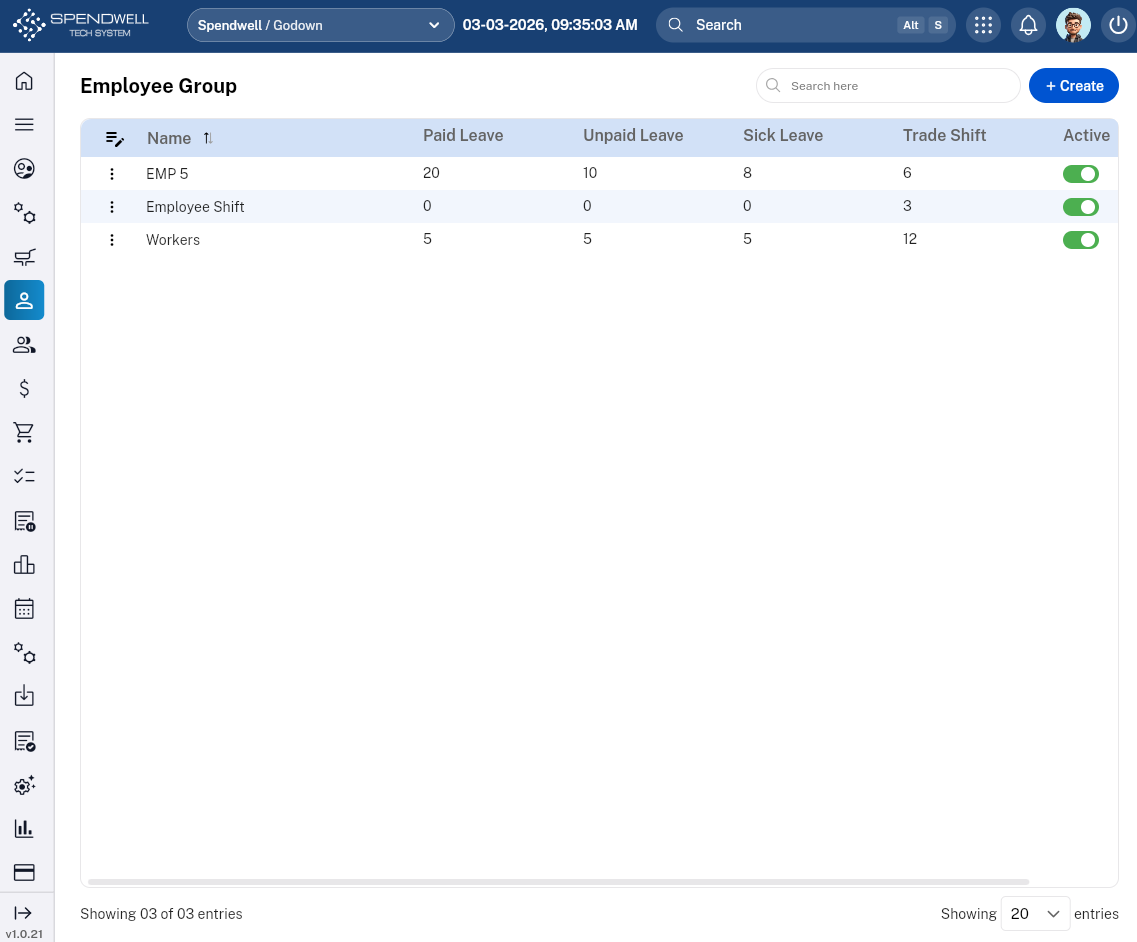
Figure: Employee Group