Item Category
Overview
The Item Category feature allows to create and manage categories used to organize inventory items within the property.
Item categories provide a high-level classification for inventory items and are used when creating or managing Item Subcategories and Items.
The Item Category feature is a single-screen feature — existing categories are displayed in a list, and new categories can be created from the same screen.
Item Category Screen
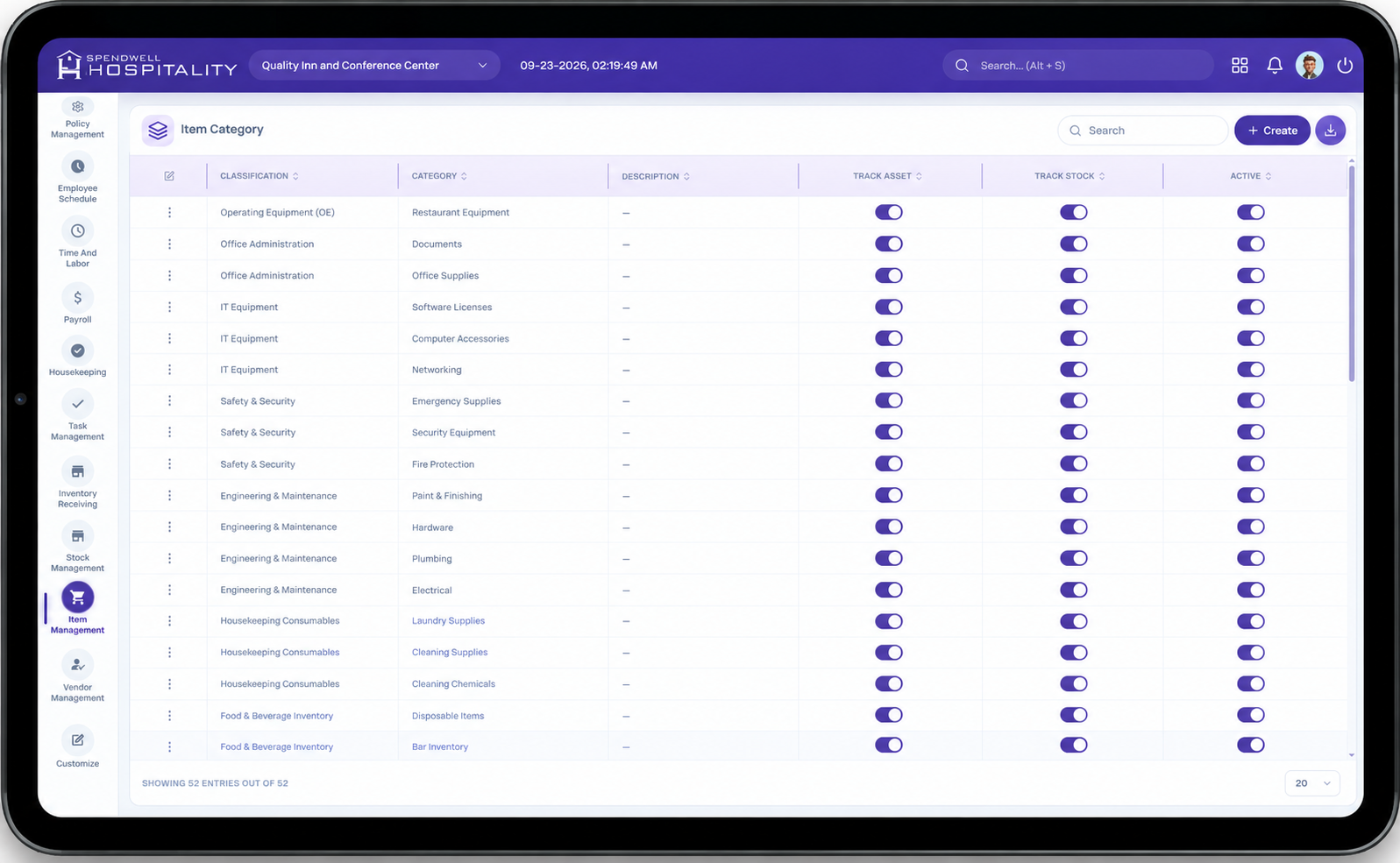
The screen provides the following controls:
- Category — Displays the name of the inventory category.
- Active — Toggle to activate or deactivate the category.
- Create — Opens the Add Item Category panel for creating a new category.
Administrators can review the configured categories and manage their availability directly from the list.
Key Fields
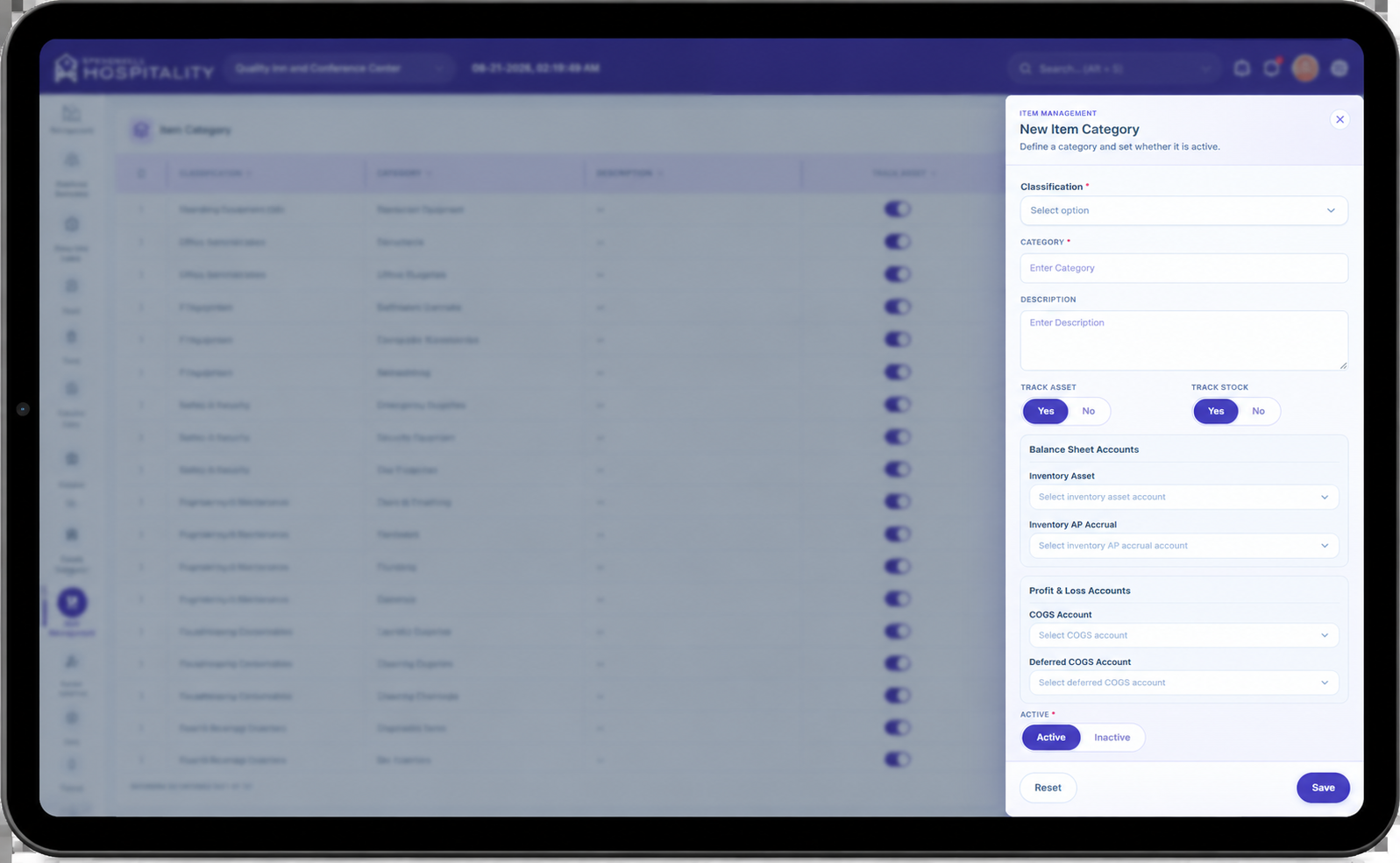
- Category — Required field used to enter the name of the inventory category, such as Asset Category, Consumables, Non-Consumables, Guest Room Accessories, or Storage Supplies.
- Active — Controls whether the category is active and available for use within the inventory system.
- Save — Saves the newly created category and closes the panel.
- Save & Add New — Saves the current category and keeps the panel open so another category can be created.
- Reset — Clears the entered information without saving.
- Create — Opens the Add Item Category panel.
Steps
Create a New Item Category
Important Notes
- Category is a required field when creating a new item category.
- Categories should be created before configuring their associated Item Subcategories.
- Only active categories should be used when creating or managing inventory items.
- Deactivating a category prevents it from being available for new inventory configuration while retaining the existing category record.
- Use clear and consistent category names to make inventory items easier to organize and manage.
- Item categories provide the top-level classification for inventory items and can have multiple Item Subcategories associated with them.